Thursday, September 23, 2010

Hot Wheels logo
 I chose this beacause when i looked at a big list of logos this was on of them that caught my attention plus its letters fit into the picture very well.
snow beries

I really like the way that the colors are very vivid and the background is blurred.
I got this from: http://kaeshalazar16.blogspot.com/
It's name is: white berries.JPG
I uploaded it Sept 23 2010
Dandylion
 I really like the angle of this photo and it really exaggerates that the dandelion is the main focus.
 I got this photo from http://ashleyadamss.blogspot.com/
It's name is DSC00674.JPG
I uploaded it Sept 23 2010
cool scenery
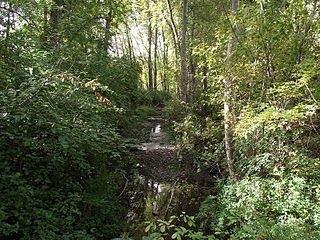 I think this photo is really nice and how the lighting is really nice how it lightens up some plants but others are shadowed.
I got this from http://omgwill.blogspot.com/
It's file name was DSCF0048 (online image)
uploaded sept 17 2010
Tuesday, September 21, 2010
My Awsome Nametag
 How to make this
To make this I opened a file on fire works with a size of 400 by 200.
Backround: I clicked on the paint bucket tool, then the place where it says solid at the bottom of the screen then went to gradent, then folds. When you get there click on the small bax that has the colours then go to Preset and click on the Emerald Green.
Writing: the font was Snap ITC with a size of 70, and put it on pink(#FF66FF). After I wrote my name I clicked on filters at the bottm right and added the following;
- Outer Bevel, under Bevel and Emboss
- Find edges, under other
- Drop Shadow, under Shadow and Glow
- Solid shadow with an angle of 36 and a distance of 11, under Shadow and Glow
And that's about it!
Subscribe to:
Posts (Atom)